Configuration
The “Fleet” section uses directories that define selection options in vehicle and service cards. Only fleet-specific directories are maintained here; shared directories (contract types, companies, partners) are configured in the common sections of the system.
Where to find it
The directories are available under “Fleet” → “Configuration”. This group contains the “Settings” form together with separate items for “Vehicle models” and “Vehicle manufacturers”.
Access to configuration is typically restricted by administrator permissions or by the person responsible for directories.
The “Settings” form
The “Settings” form is organized into tabs. The “Main” tab holds general section parameters (for example, the numerator used to generate vehicle IDs). The other tabs are directories (the set depends on the configuration):
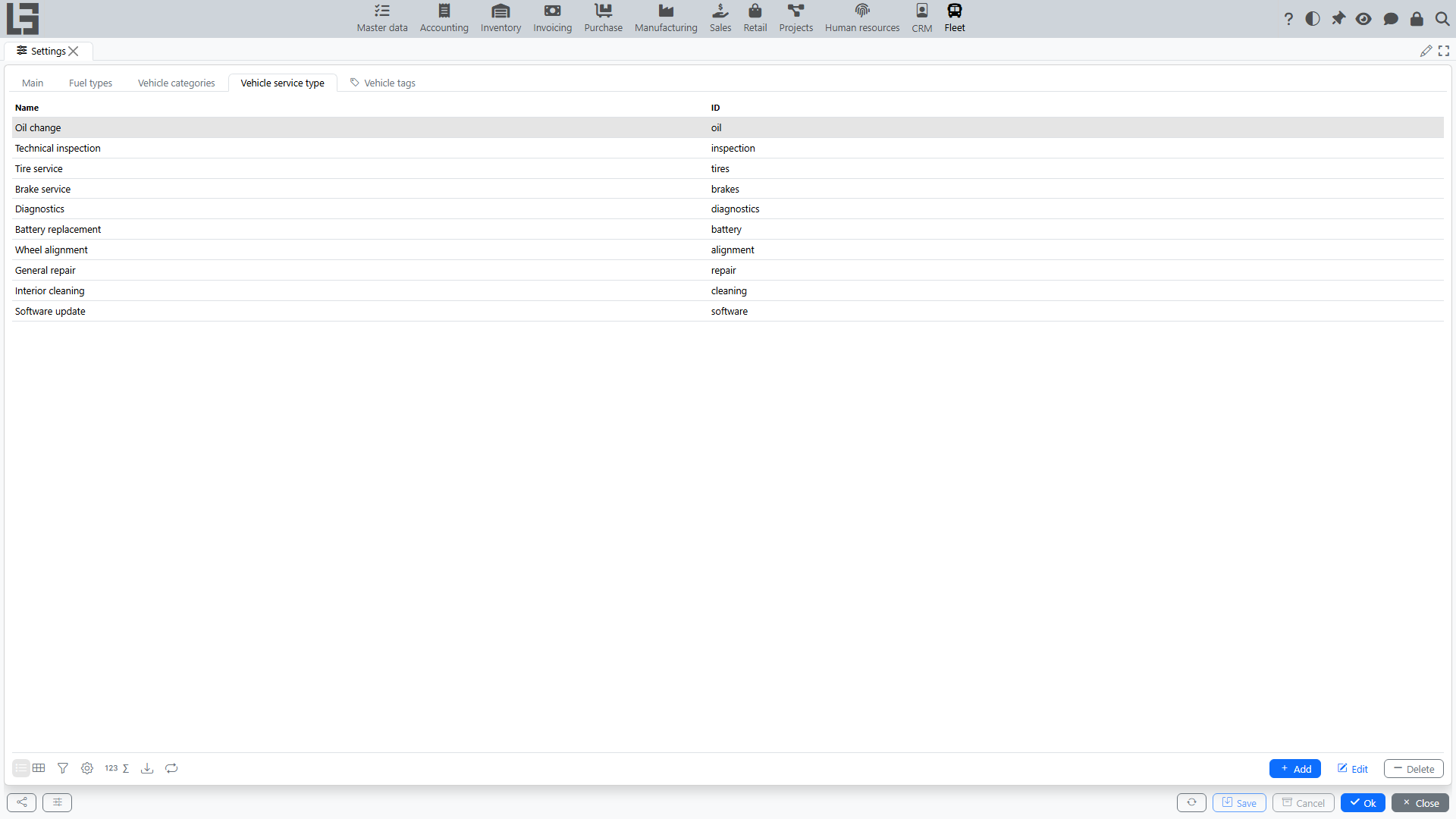
- Fuel types — options for the “Fuel type” field in the vehicle card.
- Vehicle categories — vehicle classification (for example, passenger cars, trucks, special equipment).
- Vehicle service type — service classification (scheduled maintenance, repair, etc.).
- Vehicle tags — additional labels for filtering and control.
For directories, the Add, Edit, Delete actions are usually available.
Recommendations for maintaining directories:
- agree on unified naming (without duplicates and different spellings of the same value);
- use clear names so users can quickly select the required option;
- if the directory has an “ID” field, fill it consistently (often used for integrations and data exchange).
Vehicle manufacturers and models
“Vehicle manufacturers” and “Vehicle models” are separate items in the “Configuration” group (next to “Settings”), each opened as its own list.
Recommended filling order:
- Create manufacturers first.
- Then add models selecting the manufacturer.
Practical tip: the displayed model name is composed by the system automatically as “Manufacturer / Model”, so select the manufacturer from the directory and enter only the model name — this simplifies search and avoids duplicates.