Sales settings
Where to find
Open “Sales” → “Configuration” → “Settings”.
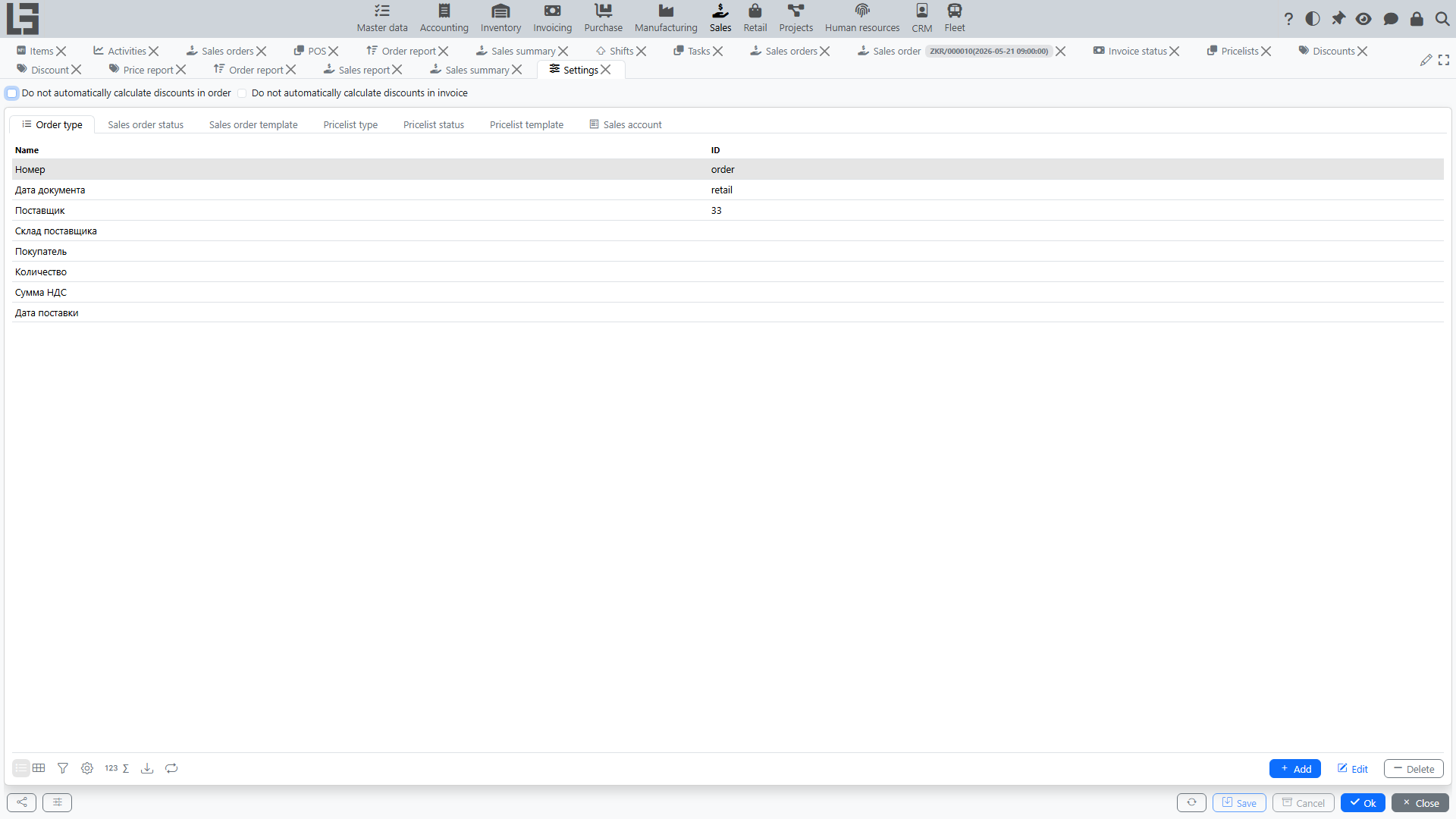
What is typically configured
Order types
For each order type you can set:
- numerator — number format and counter;
- default currency and the “price includes taxes” flag;
- price type — the price type used to fill in prices in order lines;
- shipment type (if the Inventory module is enabled) — which shipment document is created when the order is confirmed;
- manufacturing order type — enables creating manufacturing orders from the sales order;
- “Automatically create a production order” (shown when the manufacturing order type is set) — automatically creates a manufacturing order when the sales order is confirmed;
- invoice type and invoicing policy — the invoice type used by the “Create Invoice” action and whether invoice lines are taken from ordered or shipped quantities;
- mail template — default template, topic, body, and copy-to address for the “Send” action (see the Sent status);
- Forbid to lock orders with active shipments, Forbid to lock orders that are not fully shipped, and Forbid to lock orders that are not fully paid — restrictions on the transition to the “Locked” status.
Global module settings
The module settings form has top-level toggles:
- “Do not automatically calculate discounts in order” — disables automatic discount recalculation on line changes (useful when you manage discounts manually);
- “Do not automatically calculate discounts in invoice” — same for invoices.
See also: Discounts.
Sales accounts
The Sales accounts tab of the Settings form contains the list of custom sales accounts. They are used by the Sales by account tab of the Sales report.
Pricelists
- Pricelist types — categories used to organize pricelists (for example, “Standard”, “Promo”);
- Price types — used in pricelist and order lines to determine prices; they are maintained in a separate form: “Sales” → “Configuration” → “Price types”;
- Print templates — for printing pricelists.
Other
- print parameters (templates for orders and accompanying documents);
- availability of specific actions depending on statuses.
Recommendation: configure order types and numbering first, then price types and pricelists, and discounts last (they rely on price types and categories).