Manufacturing reports
The reporting section is used to analyze manufacturing orders. Open "Manufacturing" → "Reporting" → "Order report".
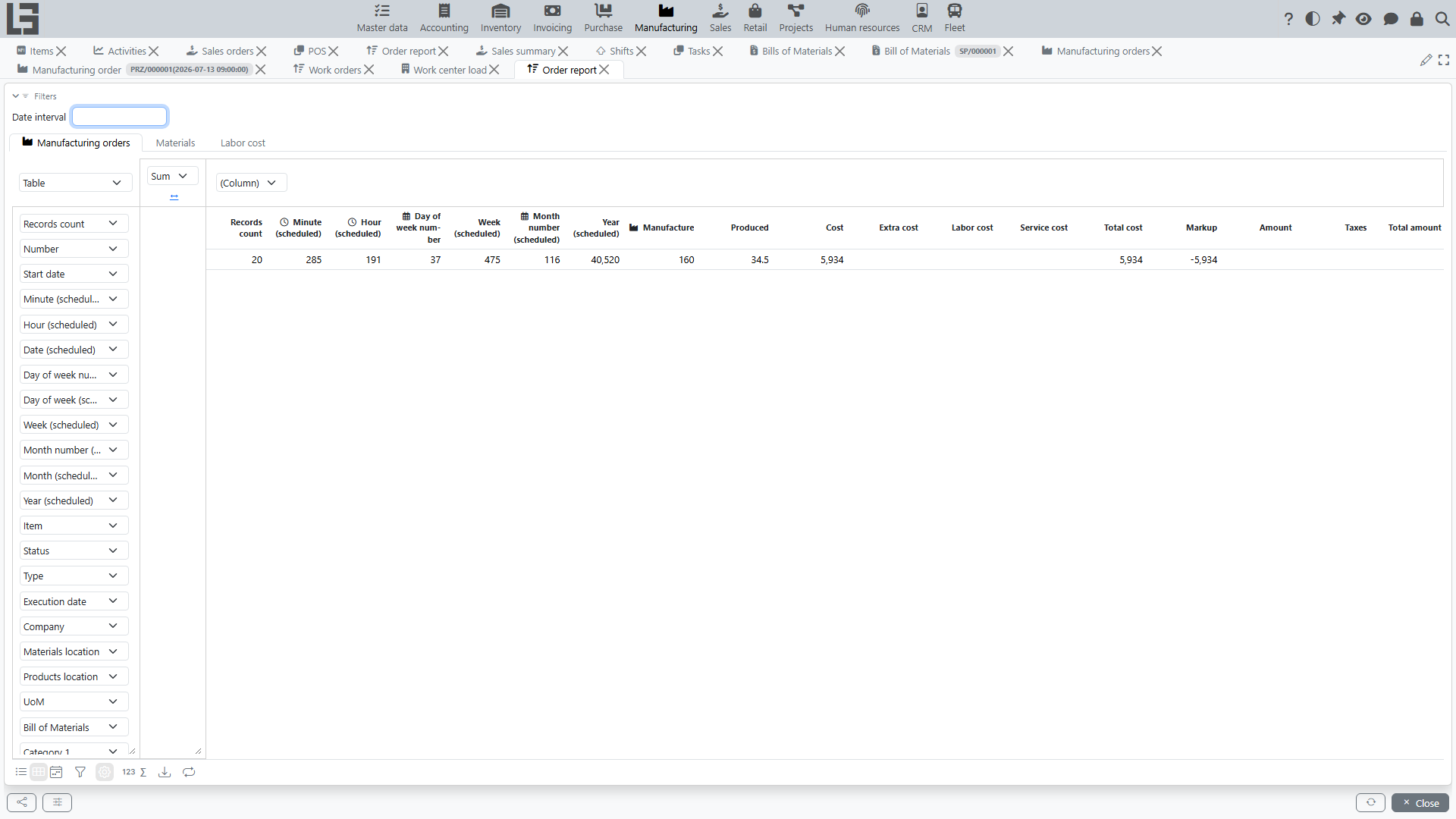
What the report shows
The report is a pivot view with the following tabs:
- Manufacturing orders — one row per order: number, dates (start/execution), item, status, type, company, locations, Bill of Materials, and the measures: planned vs actual output (Manufacture / Produced) and the cost columns (Cost, Extra cost, Total cost, plus Labor cost and Service cost when the corresponding contours are used). For orders created from sales orders, the sales measures (Amount, Taxes, Total amount, Markup) are also available;
- Materials — one row per material line: the material and its order attributes, and the measures To consume, Reserved, Consumed and Cost;
- Labor cost — one row per time entry: employee, project, and the measures worked hours, rate and labor amount. This tab is available when the Project Management contour is used.
Filters and grouping
- the Filters panel at the top sets the date range by the order start date;
- rows can be grouped by any dimension columns: item, item categories (Category 1–Category 4, Canonical group), item attributes, status, type, company, locations;
- the start date can be aggregated by standard periods (year/quarter/month/…) for time-series analysis.
What is usually analyzed
- number of orders for a period;
- planned vs actual output;
- material availability and consumption;
- cost of produced goods;
- Done and Canceled orders.
Usage recommendations
- Set a date range.
- Group by item or category to see the production structure.
- Compare planned and actual quantities to analyze deviations.