Lots and packages
Lots
A lot (batch/serial) is used for traceability. The lot directory is available at “Inventory” → “Operations” → “Lots”.
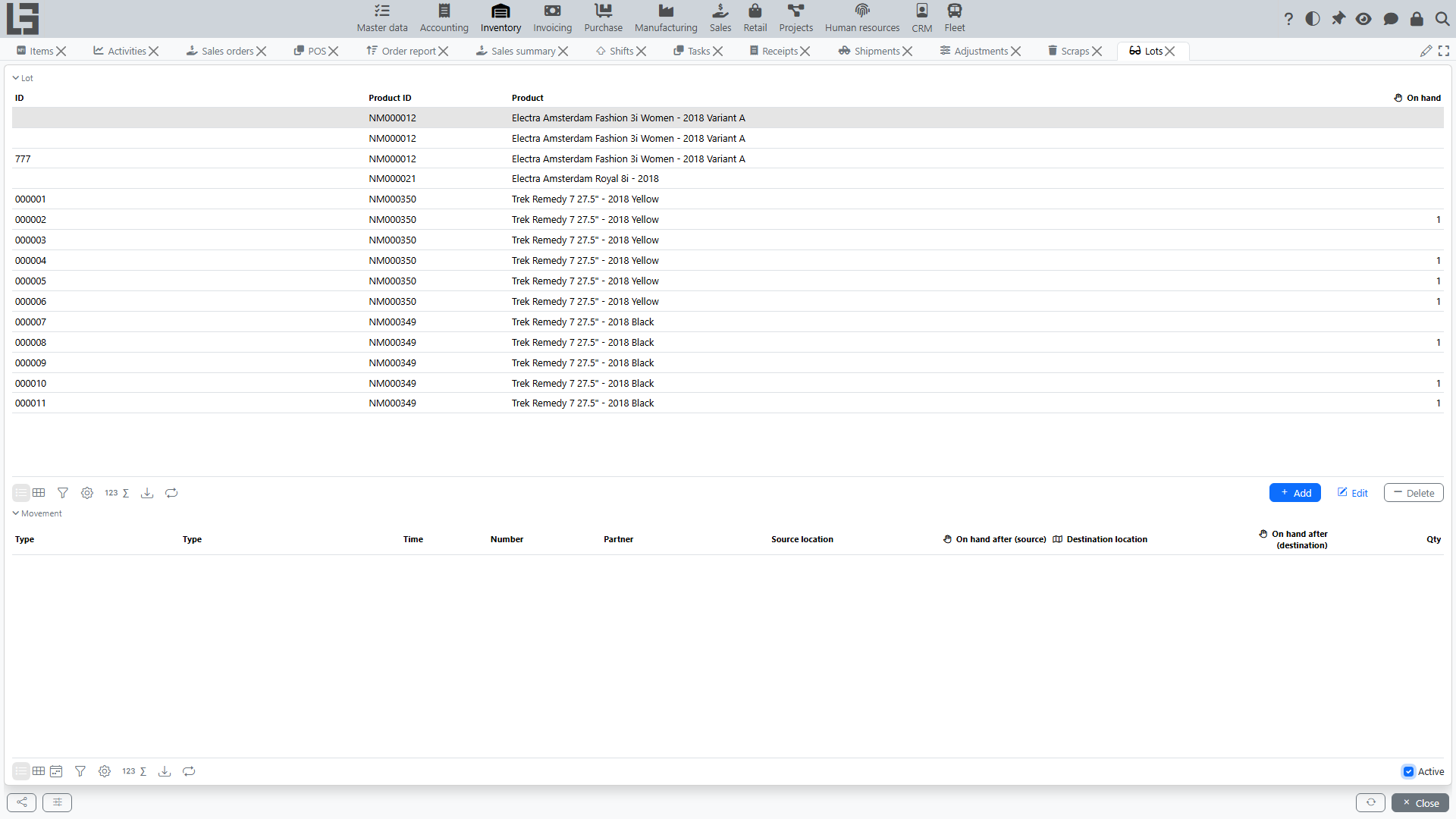
Lot tracking is controlled by several layers of settings:
- a global toggle (Use lots) in Inventory → Configuration → Settings that turns lot accounting on for the system as a whole;
- on each item category, a Use lots flag, Serial numbers flag, numerator and ID prefix for generating lot IDs. The category-level Use lots / Serial numbers / numerator / prefix settings are inherited by child categories and by products in the category;
- on each product, a Use lots override that lets you opt an individual product in to lot tracking even if its category is off. This product-level flag cannot disable lot tracking for a product whose category has it on — to switch lots off for such a product, turn the flag off at the category.
A lot record itself is minimal: it has an ID and the Product it belongs to. Expiration dates and similar attributes are not part of the base lot entity — they may be added by a configuration that extends the model.
Lot ID generation
Lot IDs can be entered manually or generated automatically (the Generate action on receipt lines):
- the ID is composed of the prefix plus the next value of the numerator configured on the item category (for example, prefix
LOT-and numerator value000123giveLOT-000123); - for products with Serial numbers enabled, one lot is generated per unit — each with quantity 1 (serial-number mode);
- otherwise a single lot is generated for the whole remaining quantity of the line (batch mode).
Where lots are used
When lot accounting is enabled for a product:
- a lot can be specified on receipt, shipment, transfer (transfer is a shipment with the "Transfer" flag), scrap and adjustment lines — the corresponding cards get a Lots tab with the per-lot breakdown;
- put-away on receipts and picking on shipments can be detailed by lot;
- stock reports can be built with a lot breakdown, and the lot card itself shows the movement history and current on-hand of the lot by location;
- in mobile / scanning workflows, the system resolves a scanned barcode directly to a lot; if the barcode is unknown, a new lot can be created automatically on the fly.
Lot labels
Lot barcode labels can be printed: the print action is available both on the lot card and on document lines (receipts, shipments). Output formats include PDF, DOCX, XLSX, RTF and HTML; the label template is configurable.
Packages
A package is a container/multi-item unit identified by an ID (and an optional reference) that has its own line list of product quantities. The package directory is available at “Inventory” → “Operations” → “Packages”.
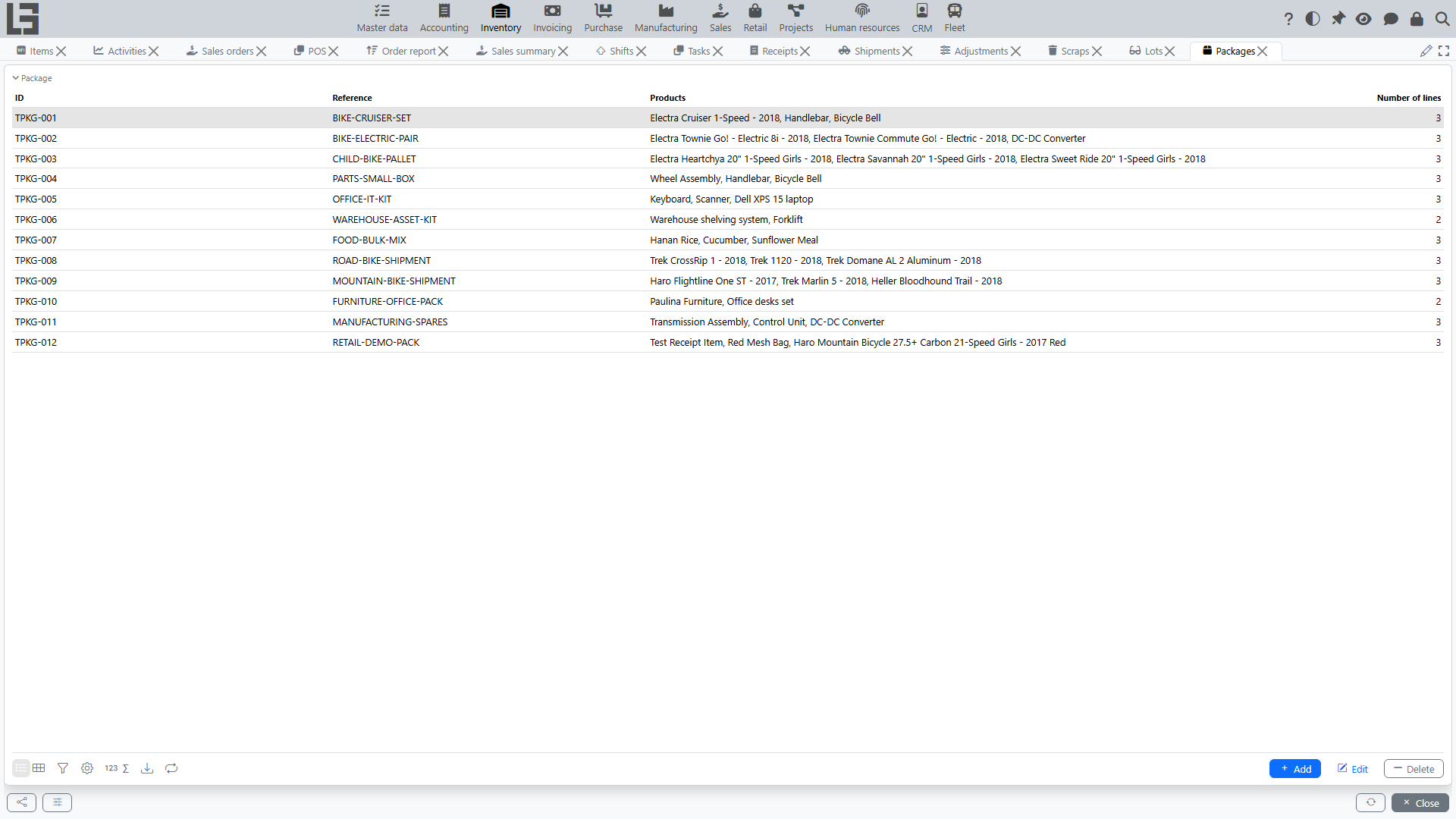
Package handling in the standard configuration is currently supported only in receipts: packages can be linked to a receipt, and a package line can be linked to a lot. Shipments, transfers, scrap and adjustments work with lots only — they do not have package-level support out of the box.
When package handling is used on a receipt:
- the package contents (products and their quantities) are recorded once on the package directory;
- the package is then linked to the receipt (the Add to action on the Packages tab) — its lines are shown on the receipt card for reference and traceability;
- each line of the package can be linked to a lot when lot tracking is enabled for the product — the Lot column is filled directly in the package card.
Linking a package to a receipt is informational: stock is still posted from the receipt's own line quantities (the Received column), so the corresponding receipt lines must also be filled in.
Do not confuse this with the "Show packages" option that can be enabled on a document type. That option turns on extra columns in document lines for entering a quantity in packaging units (boxes, pallets, etc.) and is described under Number of packages. It is independent from the Package directory described here.