Item costing (Inventory)
Where to find it
The main forms for working with costing are located in “Inventory” → “Reporting”:
- “Inventory valuation” — shows current stock and its valuation.
- “Cost report” — shows movements that form the cost.
Recalculation is also available from “Inventory valuation” via the “Recalculate cost” action.
Purpose
Costing is used to:
- value stock in locations (how much the current stock of an item costs);
- calculate the cost of shipments / write-offs;
- transfer cost along with quantity when moving stock between cost accounting locations;
- form the cost of production output (if the Manufacturing module is used).
What the system considers “cost”
Cost is maintained by:
- location (the cost accounting location),
- item.
A cost accounting location is defined by the Cost calculation flag on the location card: for any location, cost is accounted at the nearest ancestor (including itself) with this flag — or at the root of the location tree if no ancestor has it. Movements between sub-locations of one cost accounting location therefore do not create cost postings.
For each “location–item” pair the system stores and calculates:
- stock quantity;
- stock cost;
- unit cost;
- last cost.
Important: unit cost is the calculated price according to the selected method (see below), while last cost is the price of the last receipt (the last inbound operation) and may differ from the average.
Cost calculation methods
The method is set for an item category (and inherited through the hierarchy). By default, FIFO is used for an item.
UI name: “Cost calculation method”.
Available methods:
-
Planned cost
- the cost of shipments/write-offs is calculated using the planned/standard price as of the operation date;
- used where planned prices/standards are maintained.
-
Average cost
- the write-off is valued at the average unit cost at the moment of the operation.
-
FIFO
Which documents affect costing
Below is a user-level description of which operations form cost.
Receipts
Receipts create an inbound operation and increase stock:
- location quantity increases;
- stock cost increases.
In some receipt types, you can enter cost manually using the “Show cost” flag.
Shipments (write-offs)
Shipment forms an outbound operation:
- location quantity decreases;
- stock cost decreases;
- the write-off amount is calculated automatically based on the item’s cost method.
Transfers
If a transfer is performed between different cost accounting locations, the cost is transferred together with the quantity:
- an outbound operation is created at the source;
- an inbound operation is created at the destination for the same amount.
If the transfer is inside one cost accounting location, cost is not transferred between sub-locations (it stays within the same accounting location).
Adjustments
Adjustments may:
- write off quantity (outbound) — the write-off amount is calculated by the method (FIFO/average/planned);
- receive quantity (inbound) with a user-defined cost.
In adjustments, the hint “Current unit cost” may be shown — the unit cost at the moment of the operation.
Manufacturing (if used)
A production order affects costing as follows:
- materials are written off from the location as a regular outbound operation using the selected method;
- output (finished goods) is received into the location;
- the cost of output is distributed from the total order cost (materials + additional costs + labor) across output lines.
How to view cost
1) “Inventory valuation” form
Open “Inventory” → “Reporting” → “Inventory valuation”.
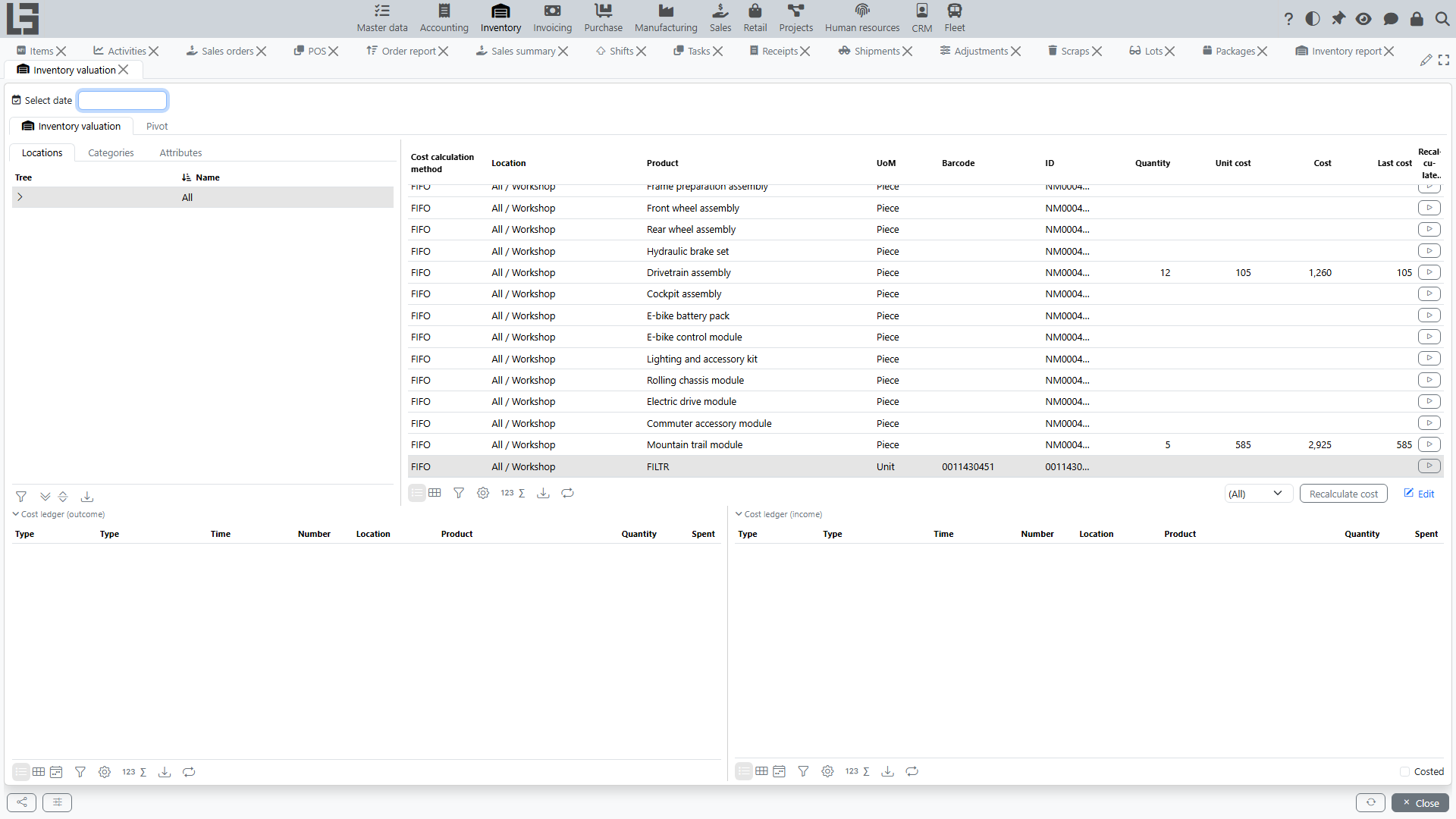
What you can see:
- stock quantity;
- stock cost;
- unit cost;
- last cost;
- optionally, valuation as of a date (via a date parameter).
Also, at the bottom (or in a separate details area) you can see:
- the list of inbound/outbound operations,
- and for FIFO — the breakdown of “which receipts were used for the write-off”.
2) “Cost report” form
Open “Inventory” → “Reporting” → “Cost report”.
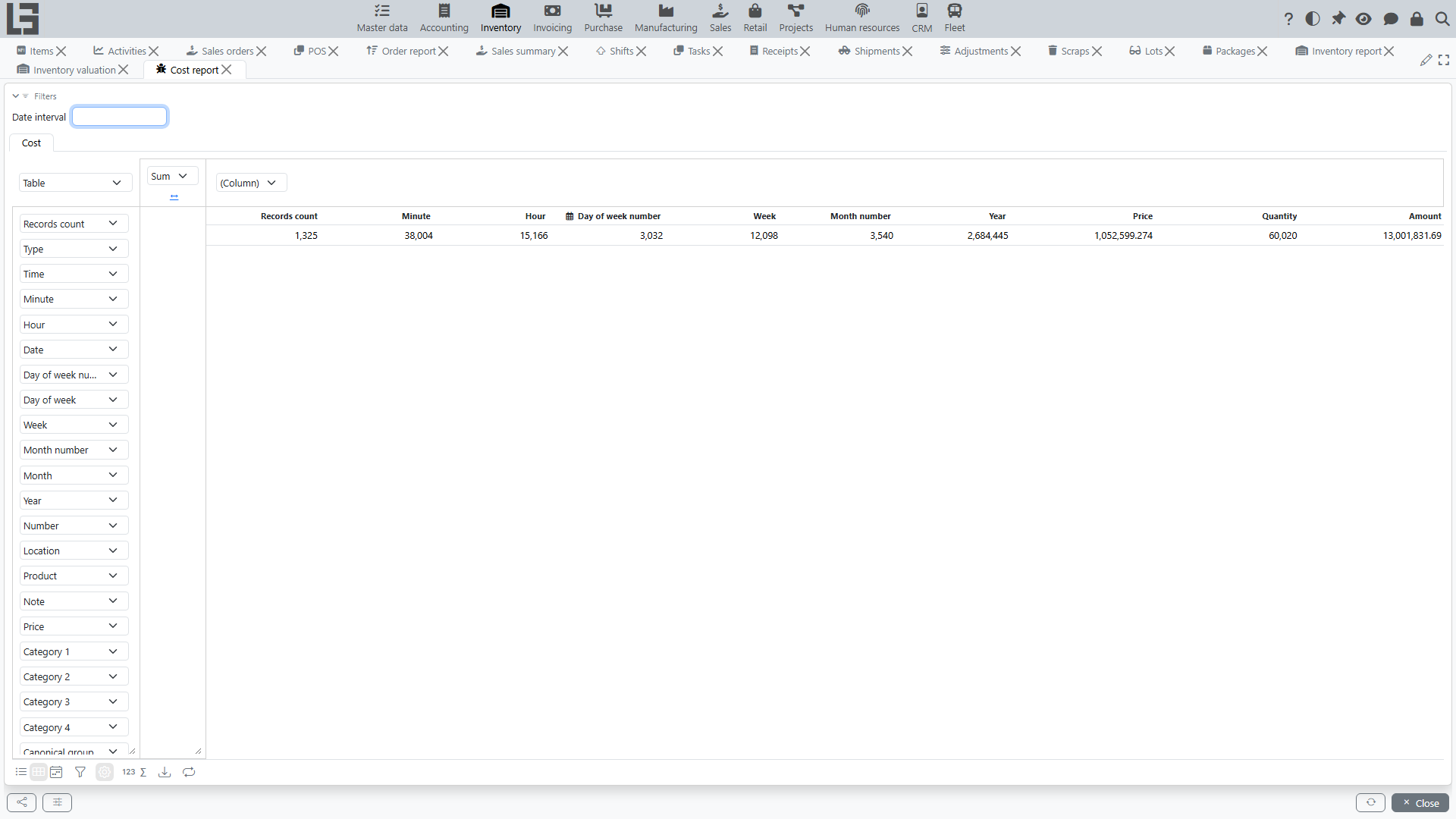
The report shows movements that form cost (inbound/outbound) with quantities and amounts.
Cost recalculation
When recalculation is needed
Recalculation may be needed if:
- past data was changed (dates/quantities/cost of receipts);
- the cost method was changed for an item/category;
- documents that affect cost were corrected.
How to recalculate
- Open “Inventory valuation”.
- Click “Recalculate cost”.
- In the “Costing parameters” dialog, specify the date from which you need to recalculate (and optionally limit recalculation by location/item).
Tip: if changes affected a specific item or location, specify them in parameters to make recalculation faster.
Accounting integration
If the Accounting module is used, completing an inventory document (receipt, shipment, scrap, adjustment) also creates the corresponding journal entries in the general ledger using the cost amounts described above (provided the accounts are configured). Users do not work with these entries directly from the Inventory section.
Typical questions
Why does “Last cost” differ from “Unit cost”?
- Last cost is the price of the last receipt.
- Unit cost is the calculated price by the method (FIFO/average/planned) and it accounts for movement history.
Why didn’t cost change after a transfer?
If the transfer was performed inside one cost accounting location (when locations belong to one cost accounting group), the system does not transfer cost between them.
Why wasn’t cost “recalculated” immediately?
Usually recalculation happens automatically when data changes, but after mass edits or backdated changes you may need a manual recalculation using “Recalculate cost”.